
AI Quoting Scheduling and Invoicing for Tradies: What Actually Works
Running a trade business in Australia can feel like a juggling act, right? Between quoting jobs, keeping your schedule sorted, and getting paid, there’s a lot to keep track of. We’ve been looking into how AI quoting scheduling invoicing tradies Australia can actually help, not just add another layer of tech hassle. Forget the complicated stuff; let’s talk about what really works to make your day-to-day smoother and your business more profitable.
Key Takeaways
- Using AI for quoting means you can get estimates out faster, which helps you win more jobs. Plus, making quotes look professional and clear builds trust with clients.
- Smart scheduling tools stop you from double-booking and keep everyone on your team updated. This means fewer mistakes and happier customers, even when things change last minute.
- AI can sort out your invoices automatically, making them look good and getting them sent out quickly. This means you get paid sooner and spend less time on paperwork.
- Integrating AI into your business can help with all sorts of tasks, from writing up documents to organising your files, freeing you up to focus on the actual work.
- When picking software, look for something easy to use, that works on your phone, and connects with the other tools you already use. This makes sure everyone can actually use it and it fits into your workflow.
Streamlining Quoting for Tradies in Australia
Winning More Work with Faster Quotes
Getting quotes out the door quickly is a big deal for Aussie tradies. Nobody likes waiting around for a price, and the longer you leave it, the more likely a customer is to go with someone else. The old way of scribbling on bits of paper or trying to remember prices is just asking for trouble.
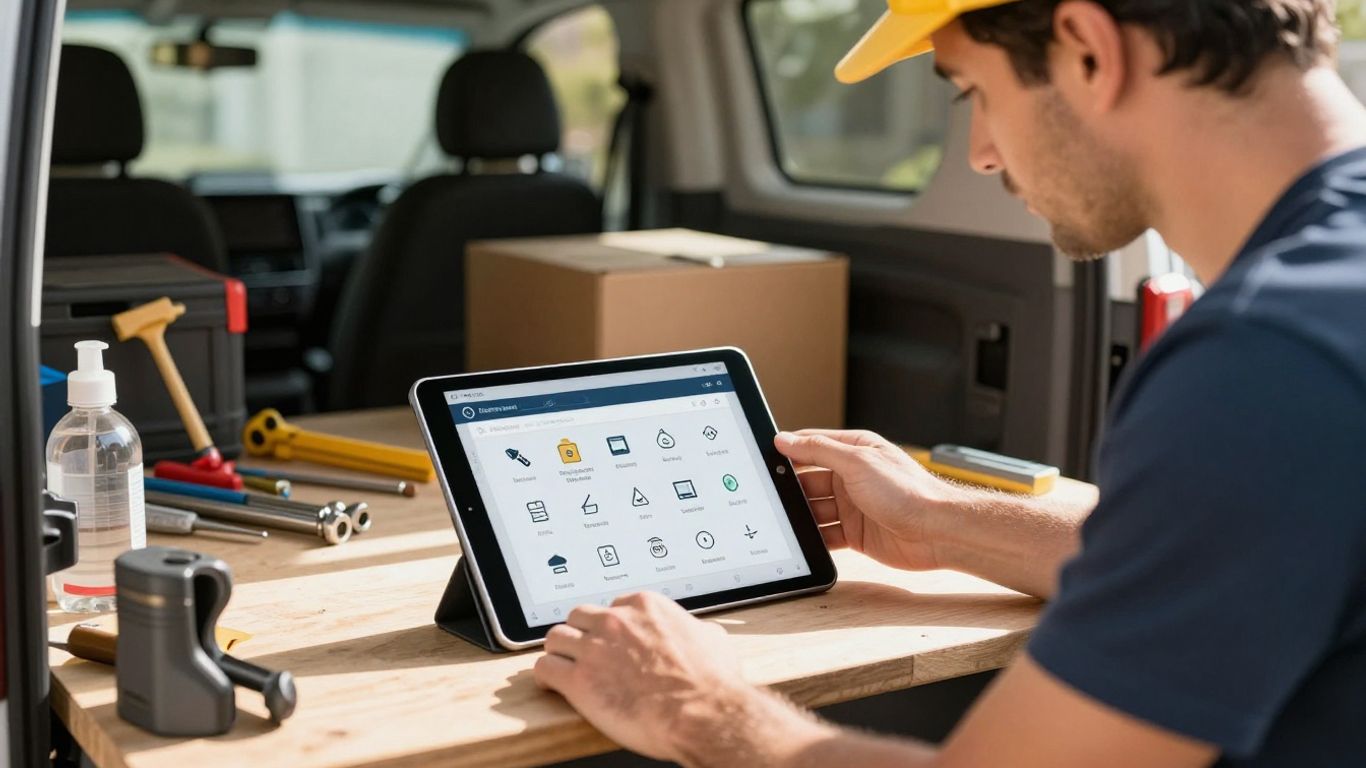
Modern software can really speed things up. You can save all your common jobs, materials, and prices, so you’re not starting from scratch every time. Plus, you can often build quotes right there on your phone or tablet while you’re on site. This means you can show the customer exactly what you’re quoting for, maybe even with photos of the work or materials. It makes you look organised and professional, which is half the battle.
Here’s a quick look at how it helps:
- Templates: Save your standard quotes and just tweak them.
- Price Lists: Keep all your material and labour costs handy.
- On-Site Quoting: Create and send quotes directly from your mobile.
- Professional Look: Branded PDFs or online links impress clients.
Enhancing Quote Transparency and Professionalism
Customers want to know what they’re paying for. When a quote is clear and detailed, it builds trust. No more vague prices that leave people wondering what’s included. With smart tools, you can break down costs for labour, materials, and any extras. You can even choose to show or hide specific line items, giving the client options and making them feel in control.
Presenting a polished, detailed quote can be the difference between winning a job and losing it. It shows you’ve thought about the details and respect their investment.
This level of detail not only helps the client understand the costs but also protects you. It clearly outlines the scope of work, reducing the chances of misunderstandings down the track. Sending quotes as professional-looking PDFs or via a secure online link makes a huge difference compared to a handwritten note.
Automating Quote Follow-Ups and Reminders
Let’s be honest, chasing people for a decision on a quote isn’t everyone’s favourite job. But it’s important! If you don’t follow up, you’re leaving money on the table. Automated reminders are a lifesaver here. You can set them up to go out a few days after you send the quote, and then maybe again a week later if there’s still no response.
This takes the pressure off you to remember everyone and makes sure your quotes don’t just get lost in the shuffle. It’s a simple way to keep your business top-of-mind for potential clients without being annoying. Most systems let you customise how often these reminders go out, so you can find the right balance.
Efficient Scheduling and Job Management
Keeping your team on the same page and jobs running smoothly is a big deal for any tradie business. When you’re juggling multiple clients, different job sites, and unexpected changes, it’s easy for things to get messy. That’s where smart scheduling and job management software comes in. It’s all about making sure the right person is in the right place at the right time, without any double-ups.
Avoiding Double-Bookings and Syncing Your Team
No one likes turning up to a job only to find another team is already there, or worse, that you’ve double-booked yourself. Good software syncs your team’s calendars in real-time. This means everyone can see who’s doing what and where they need to be. It’s like having a central command centre for all your jobs.
- Real-time Calendar Sync: Updates appear instantly across all devices, so no more missed appointments.
- Team Availability: Easily see who’s free and assign jobs accordingly.
- Location Awareness: Some systems can even factor in travel time, helping you plan routes more effectively.
This kind of organisation stops those awkward phone calls and keeps your clients happy. It’s a game-changer for keeping your business running like a well-oiled machine. Tools like Tradify job management can really help here.
Managing Job Variations and Last-Minute Changes
Let’s be honest, jobs rarely go exactly to plan. A client might decide they want an extra power point installed, or a sudden downpour could halt work on a roof. Instead of relying on scribbled notes or frantic text messages, modern software lets you log these changes instantly. You can add notes, photos, and update the job scope right from your phone. This keeps everyone informed and means you don’t miss out on charging for extra work.
When a job changes, it’s important to capture that information immediately. This prevents confusion down the track and ensures accurate billing. Having a system that allows for quick updates in the field is key to managing these variations effectively.
Real-Time Job Progress Tracking for All
Knowing exactly where each job is at, without having to constantly call your team, saves a heap of time. With job management software, your team can update the status of a job from their mobile device as they work. This could be anything from ‘On-site’ to ‘Work Complete’ or ‘Awaiting Parts’.
Here’s what you can typically track:
- Job Status: See at a glance if a job is scheduled, in progress, or finished.
- Time Spent: Track how long your team is spending on each task.
- Materials Used: Log any materials that have been used on the job.
- Photos & Notes: Field staff can upload photos or add notes directly to the job file.
This visibility is great for keeping clients informed about progress and also helps you manage your team’s workload more effectively. It gives you a clear picture of what’s happening across your entire business.
AI-Powered Invoicing for Faster Payments
Getting paid on time is a big deal for any tradie. Nobody likes chasing invoices, right? That’s where AI can really step in and make things smoother. It’s not just about sending out a bill; it’s about making the whole process quicker and less of a headache for everyone involved.
Generating Professional Invoices Automatically
Forget fiddling around with spreadsheets or trying to remember every single detail from a job. AI tools can take the information from your quotes and job sheets and whip up a professional-looking invoice in no time. This means all the work done, materials used, and any agreed-upon extras are listed clearly. This accuracy helps avoid disputes and gets you paid what you’re owed. It’s like having a super-efficient admin assistant who never gets tired.
Reducing Admin with Batch Sending and Recurring Invoices
Think about how much time you spend sending out individual invoices. AI can group them together and send them out in batches, saving you heaps of clicks. Plus, for those regular clients or maintenance jobs, you can set up recurring invoices. This means you don’t have to remember to send the same bill every month – the system just does it for you. It’s a game-changer for consistent cash flow.
Tracking Invoice Status and Chasing Payments
This is where AI really shines. Once an invoice is out the door, the system can keep an eye on it. It can tell you if a client has opened it, if it’s been paid, or if it’s overdue. Some AI tools can even send out polite, automated reminders to customers when a payment is due or late. This takes the awkwardness out of chasing money and frees you up to focus on the actual work. It’s a simple way to keep your business finances ticking over nicely.
The biggest win here is cutting down on the time spent on paperwork and chasing payments. When your invoicing is automated and professional, you get paid faster, which means you can keep your business running smoothly and take on more jobs without worrying about cash flow.
Integrating AI into Your Tradie Business
So, you’ve heard about AI, and maybe you’re thinking it’s all a bit too fancy for the toolshed. But honestly, it’s becoming less about futuristic robots and more about practical help for everyday tasks. AI is starting to feel like a really useful apprentice you can carry in your pocket. It’s not about replacing your skills, but about giving you a hand with the bits that slow you down.
Smart Tools for Quoting, Scheduling, and Invoicing
We’ve already touched on how AI can speed up quotes and get you paid faster. But it goes deeper. Think about your schedule. AI can help avoid those awkward double bookings or clashes that happen when you’re juggling multiple jobs. It can even help you manage those last-minute changes clients throw at you, updating everyone involved without you having to make a dozen phone calls. It’s like having a personal assistant who knows where everyone’s supposed to be and what they’re supposed to be doing.
Leveraging AI for Document Generation and Organisation
Paperwork is a pain, right? Whether it’s site reports, safety checklists, or even just keeping track of receipts for materials, it all adds up. AI tools can take a heap of that off your plate. Imagine snapping a photo of an invoice and having the details automatically pulled into your accounting software. Or getting a professional-looking site report generated from a few notes you dictate. This stuff saves serious time and means you’re less likely to lose important documents. It helps keep everything tidy and accessible, which is a lifesaver when tax time rolls around or a client asks for something from months ago. You can even get AI to help draft professional client responses, making sure you sound like you know your stuff every time. This service uses AI-powered voice technology to handle calls and book appointments, freeing you up.
AI Assistants for On-Site Queries and Compliance
Ever been on a job and had a question about a specific standard, a material’s compatibility, or even just the best way to approach a tricky bit of work? Instead of stopping everything to call the boss or dig through dusty manuals, you can ask an AI assistant. These tools can pull up information quickly, giving you step-by-step guides or technical details right when you need them. This is especially brilliant for apprentices learning the ropes, helping them gain confidence and work more efficiently. It also helps with compliance, making sure you’re following the latest regulations without having to be a legal expert yourself. It’s like having a seasoned pro on call 24/7, ready to help you get the job done right.
Keeping up with the latest rules and regulations can feel like a full-time job in itself. AI can act as your compliance watchdog, flagging potential issues and helping you generate the correct documentation, so you can focus on the actual work.
Choosing the Right AI Quoting Scheduling Invoicing Software
So, you’re looking to get some software to help with quoting, scheduling, and invoicing, and you want it to be smart, right? It sounds simple enough, but picking the right tool can feel like a minefield. You don’t want to end up with something that’s a pain to use or doesn’t actually do what you need it to. Let’s break down what actually matters when you’re making this decision.
User-Friendly Interfaces for Tradies
This is a big one. If the software looks like it was designed by rocket scientists, you’re probably not going to use it, or at least not properly. You need something that makes sense straight away. Think about it: you’re busy on-site, maybe covered in dust, and you just need to quickly log a job, send a quote, or check your schedule. A complicated system means more time fiddling with buttons and less time actually working.
- Intuitive Navigation: Can you find what you need without a manual?
- Clear Layout: Is the information presented in a way that’s easy to read and understand?
- Minimal Training Needed: Ideally, you and your team should be able to pick it up quickly.
Some platforms are praised for being easy to get started with, which is a massive plus when you’re trying to get things done. You don’t want to spend weeks learning a new system.
Mobile Accessibility for On-the-Go Management
Let’s be honest, most of your work happens away from a desk. You’re at a client’s place, on a roof, or in a tight crawl space. Having software that works brilliantly on your phone or tablet is non-negotiable. This means you can quote on the spot, update job statuses, take photos, and even get paid right there and then. A good mobile app is as important as the desktop version, if not more so.
Here’s what to look for in a mobile app:
- Full Functionality: Can you do everything you need to, or is it just a viewer?
- Offline Access: What happens when you’re in a dead zone? Can you still work and sync later?
- Quick Data Entry: Is it easy to type notes or fill in forms on a small screen?
Having this flexibility means you’re not tied to the office and can manage your business from anywhere. It really speeds things up and makes you look more professional to clients.
Seamless Integration with Existing Tools
Your business probably already uses a few different bits of software, maybe for accounting, email, or something else. The new quoting and scheduling tool shouldn’t force you to ditch everything you’re used to. Look for software that plays nicely with others. This could mean connecting to your accounting software to avoid double-entry, or syncing with your calendar so you don’t miss appointments.
Think about:
- Accounting Software: Xero, MYOB, QuickBooks – does it connect?
- Calendar Sync: Google Calendar, Outlook Calendar – are they compatible?
- Other Tools: Do you use specific CRM or project management software?
When software integrates well, it saves you heaps of time and reduces the chance of errors. It makes everything flow better, from the first quote to the final invoice. For example, tools like QuoteWerks are known for their customisation, which often means they can be made to fit with other systems you might already have in place.
Choosing the right software isn’t just about the fancy features; it’s about finding a tool that genuinely makes your day-to-day work easier and helps your business run smoother. Don’t be afraid to try out a few different options before you commit. Many offer free trials, which is the perfect way to see if it’s a good fit for your specific needs and workflow.
Maximising Profitability with Smart Tools

Look, we all want to make more money, right? It’s not just about doing good work; it’s about making sure that good work actually pays off. Using the right tools can make a massive difference to your bottom line. It’s about being smarter, not just busier.
Accurate Cost Tracking for Materials and Labour
This is where a lot of tradies lose money without even realising it. You’ve got to know exactly what you’re spending on materials and how much time your team is actually putting in. If you’re still using scribbled notes or trying to remember costs from weeks ago, you’re asking for trouble. Software that lets you snap photos of receipts or automatically pulls data from invoices is a game-changer. It means no more lost receipts and no more guessing.
- SmartRead features can instantly capture costs from any invoice, just by taking a photo. This means no more lost paperwork or double-entry.
- Track labour hours accurately with digital timesheets that sync across devices.
- Keep up-to-date price lists for materials, so your quotes reflect current costs.
Being able to see your exact costs in real-time stops those nasty surprises at the end of a job. It’s the difference between a profitable job and one that barely breaks even.
Identifying Profitability with Job Visibility
Once you know your costs, you need to see where the profit is actually coming from. Good software gives you a clear picture of each job – what you quoted, what it actually cost, and what your profit margin is. This helps you understand which types of jobs are most profitable for your business. Maybe those small, quick jobs are actually costing you more in admin time than they’re worth, or perhaps a certain type of installation is consistently bringing in great returns. Having this visibility means you can focus your efforts where they count. It’s about making informed decisions, not just guessing.
Adding Optional Extras to Increase Job Value
Don’t be afraid to offer clients a bit more. Sometimes, a small upgrade or an optional extra can significantly boost the value of a job without adding a huge amount of extra work for you. Think about offering premium materials, extended warranties, or additional services that complement the main job. Presenting these as clear, separate line items on your quote gives the client a choice and makes it easy for them to see the added benefit. It’s a simple way to increase your average job value and improve overall profitability. For example, offering a higher-grade paint finish or a smart home integration alongside a standard electrical fit-out can add significant value. This is where tools that help you generate professional quotes really shine, allowing you to easily add and detail these extras.
So, What’s the Go?
Look, trying to get your head around all these quoting, scheduling, and invoicing systems can feel like a proper headache. We’ve seen a few options out there, and yeah, some are better than others. The main thing is finding something that actually makes your day-to-day easier, not just another bit of tech to learn. If you’re still scribbling notes on the back of a receipt or losing track of who’s paid what, it’s probably time to look at a system. The ones that seem to work best are the ones that are straightforward to use, don’t cost the earth, and actually help you get paid faster. Don’t get bogged down in fancy features you’ll never use. Focus on what gets the job done and keeps your business ticking over smoothly. Give it a crack, and see if it doesn’t make life a bit less stressful.
Frequently Asked Questions
How can AI help me win more jobs?
AI can speed up how quickly you create and send quotes. It remembers your prices and common jobs, so you can build quotes super fast, even on your phone. Plus, AI can send automatic reminders to clients, which means less chasing for you and more chance of winning the job.
Can AI stop me from double-booking my team?
Absolutely! Smart scheduling tools use AI to keep track of everyone’s jobs. They show you who’s free and when, making it easy to avoid booking two jobs at the same time. Everything syncs up, so your whole team knows where they need to be.
How does AI make invoicing easier?
AI can create professional invoices automatically by pulling info straight from your quotes or job sheets. It handles all the tricky bits, like adding up costs and taxes. You can even send them in batches or set them up to repeat for regular clients, saving you heaps of time.
What if a job changes or takes longer than expected?
No worries! With AI tools, you can quickly add notes, photos, or log delays right from your phone. This keeps everyone in the loop about any changes, like extra work or weather hold-ups. It makes sure you don’t miss out on charging for any extra bits.
Is AI software hard for tradies to use?
Most AI tools for tradies are designed to be really simple to use, even if you’re not a computer whiz. They often have clean layouts and you can get started quickly. Think of it like sending a text message – easy peasy!
Can AI help me get paid faster?
Definitely. AI can send automatic, polite reminders to clients when invoices are due. Some systems also let clients pay online directly from the invoice, which makes it much quicker to get your money and keeps your cash flow healthy.
Want quoting, scheduling and follow-up automated in your trade business? Our AI Operations service and automated pipelines handle it all.